Skip to content
Complete Solutions for Note Counting, Sorting & Cash Handling Equipment.
Manufacturing & Repair Experts for Note Counters, Sorters & Cash Handling Devices.
Complete Solutions for Note Counting, Sorting & Cash Handling Equipment.
Manufacturing & Repair Experts for Note Counters, Sorters & Cash Handling Devices.

Search
Skip to product information

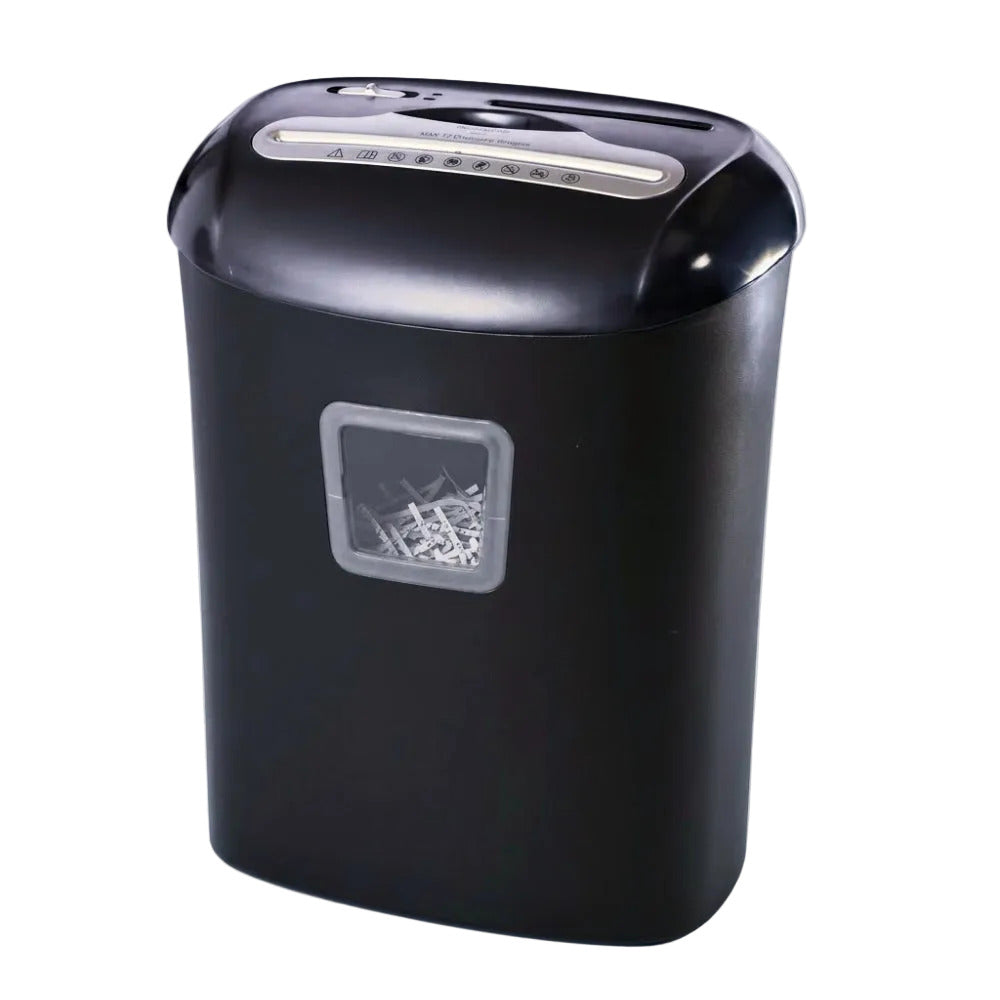
BANKOMAT PAPER SHREDDING/CUTTING MACHINE BMT-014CD

Regular price
Rs. 7,619.00
Sale price
Rs. 7,619.00
Regular price
Sku: BMT-014CD
 INSTAL GUIDE Put the machine on flat table. Insert power plug into the corresponding electric socket and make sure that working voltage comply with supplying voltage. OPERATION...
Watch How It Works
Availability: In stock Out of stock

Shipping & Returns

Svg Vector Icons : http://www.onlinewebfonts.com/icon

Free shipping and returns available on all orders!
We ship all domestic orders within 5-10 business days!
Features 

Svg Vector Icons : http://www.onlinewebfonts.com/icon

Specification

Svg Vector Icons : http://www.onlinewebfonts.com/icon
  • Cutting Style: cross cut (5×40 mm)
  • Entry Width: 220 mm
  • Shred Capacity: 14 sheets (A4 70g/m2 paper)
  • 1pc: CD
  • 1pc: Credit card
  • Waste bin for paper: 25 liters
  • Waste bin for CD, credit card: 1.0 liter
  • Input: 220-240VAC, 50/60Hz, 1.7A,380 W
  • Machine size: 360L x 244B X 400H (mm)
  • Net weight: 5.5 kg
  • Operating cycle: 3 min on/ 40 min off
BANKOMAT PAPER SHREDDING/CUTTING MACHINE BMT-014CDBANKOMAT PAPER SHREDDING/CUTTING MACHINE BMT-014CDBANKOMAT PAPER SHREDDING/CUTTING MACHINE BMT-014CDBANKOMAT PAPER SHREDDING/CUTTING MACHINE BMT-014CDBANKOMAT PAPER SHREDDING/CUTTING MACHINE BMT-014CDBANKOMAT PAPER SHREDDING/CUTTING MACHINE BMT-014CDBANKOMAT PAPER SHREDDING/CUTTING MACHINE BMT-014CDBANKOMAT PAPER SHREDDING/CUTTING MACHINE BMT-014CDBANKOMAT PAPER SHREDDING/CUTTING MACHINE BMT-014CD
 INSTAL GUIDE
    1. Put the machine on flat table.
    2. Insert power plug into the corresponding electric socket and make sure that working voltage comply with supplying voltage.
OPERATION GUIDE AND REMARKS
    1. Setthe slide switch to “AUTO” position, at the same time, the machine is on standby; put the shredding paper, vertically into the entry, there after, it starts up automatically and does shredding; it returns to standby automatically after finishing.
    2. When shredding is going to finish, if there is little paper in the entry, please press the “clear” button to cut the paper completely.
    3. When jam caused by inserting too much paper or wantto withdraw the paper immediately at the normal shredding, please set the slide switch to ”REV”, at the same time, the machine does the reverse rotation and return the paper that has not been shredded; then put the switch to “OFF”.
    4. Set the switch to “REV” position, at the same time, the machine is ready for cutting CD and credit card, put the CD and credit card, vertically into the entry, then set the slide switch to “OFF” position, when finish cutting.
    5.  To ensure your machine has a long use life and exerts good shredding function, please refer notice the maximum number of shred paper, and shred one piece of CD or credit card at one time. To exert its power at the most, please notice it as follows: work continuously for 2 minutes; rest for 60 minutes, that is one cycle. It can not work continuously more than 3 cycles.
    6. If the machine works continuously or spasmodically for a long time, it may pause because the inside temperature increases continuously. After resting for a period of time, it can work again.
    7. Please do not put clips, adhesive paper, adhesive tapes or cloth into the paper entry in order to avoid damaging the blades or lowering the shredding performance.
    8. If you want to clean the wastebasket or the machine, or the machine is not used for a long time, please cut off the electric power and unplug.
SAFETY OPERATION GUIDE
    1. Before use, please read introduction manual carefully.
    2. the socket-outlet shall be installed near the equipment and shall be easily accessible.
    3. Keep ties, jewelry, hair, etc. away from the machine to insure personal safety.
    4. Do not place the machine near the heat sources or in the humid environment for a long time.
    5. Please use the machine near the electric socket to unplug easily.
    6. When clean the machine or repair the damaged plug, please unplug it from the electric socket at first.
    7. Machine must be far away from children and pets.
whatsapp-img